

If you are setting up a new Configuration Manager environment today (hopefully for a home lab to increase your skills!), then you are most likely installing SQL Server 2022.
If you forget one important step with your ConfigMgr setup, then you may run into an error when trying to import drivers. This is a quick post on how to resolve that error.
TL;DR #
To resolve the ConfigMgr driver import error when using SQL Server 2022, change the ConfigMgr Database Compatibility Level to 150.
The Error #
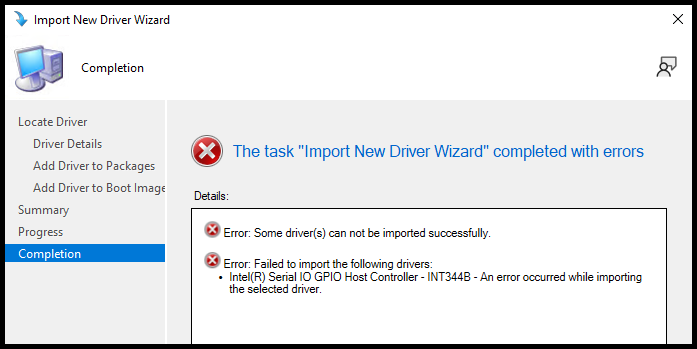
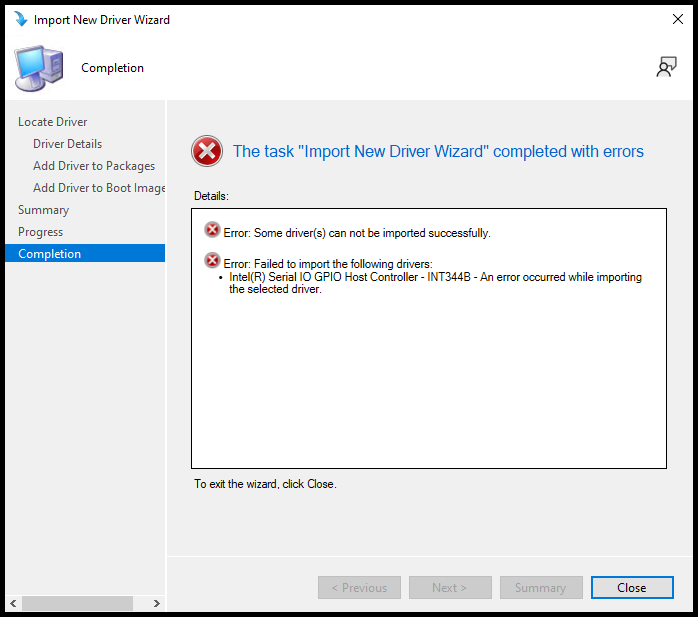
If you forget to change the compatibility level and leave it at the default 160, then you may run into the below error when trying to import drivers into ConfigMgr:
DriverCatalog.log #
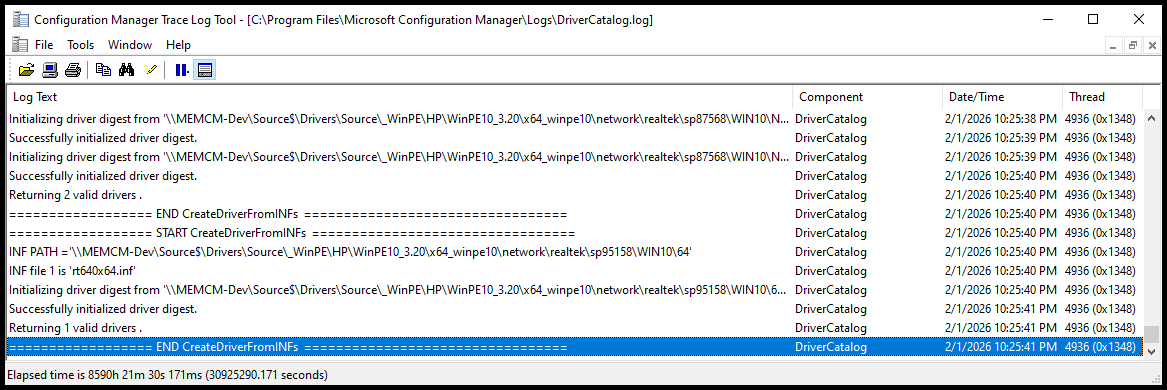
Normally, a good starting point would be to check the DriverCatalog.log file to troubleshoot driver import issues. But with this error, the log file does not provide any useful information besides the validation steps it did before the error occurred.
SMSProv.log #
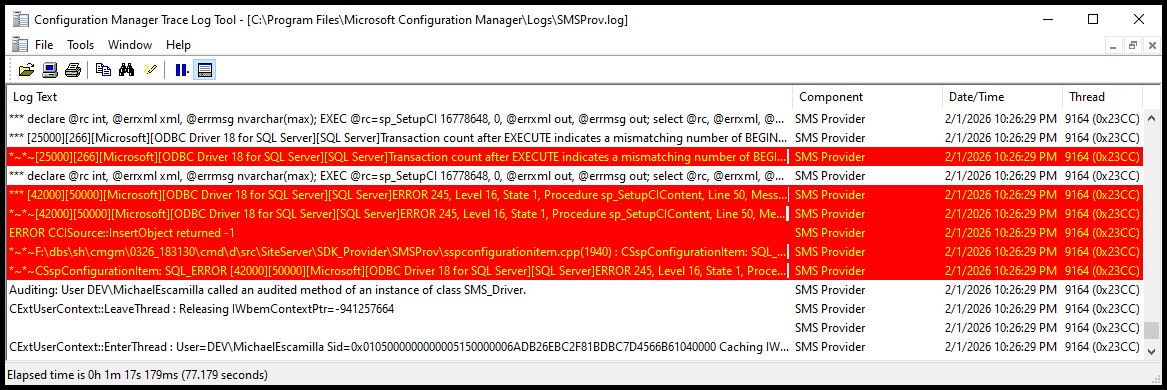
The SMSProv.log file, however, does provide more insight into the error. If you open the SMSProv.log file shortly after seeing the driver import error, you will find some ‘SQL Server’ errors that look like the below:
Updating SDM content definition.  $$<SMS Provider><02-01-2026 22:26:28.413+480><thread=9164 (0x23CC)>
*** declare @rc int, @errxml xml, @errmsg nvarchar(max); EXEC @rc=sp_SetupCI 16778648, 0, @errxml out, @errmsg out; select @rc, @errxml, @errmsg  $$<SMS Provider><02-01-2026 22:26:29.179+480><thread=9164 (0x23CC)>
*** [25000][266][Microsoft][ODBC Driver 18 for SQL Server][SQL Server]Transaction count after EXECUTE indicates a mismatching number of BEGIN and COMMIT statements. Previous count = 1, current count = 0. : sp_SetupCI  $$<SMS Provider><02-01-2026 22:26:29.179+480><thread=9164 (0x23CC)>
~*~*~[25000][266][Microsoft][ODBC Driver 18 for SQL Server][SQL Server]Transaction count after EXECUTE indicates a mismatching number of BEGIN and COMMIT statements. Previous count = 1, current count = 0. : sp_SetupCI     ThreadID : 9164 , DbError: 266 , Sev: 16~*~*~  $$<SMS Provider><02-01-2026 22:26:29.179+480><thread=9164 (0x23CC)>
*** declare @rc int, @errxml xml, @errmsg nvarchar(max); EXEC @rc=sp_SetupCI 16778648, 0, @errxml out, @errmsg out; select @rc, @errxml, @errmsg  $$<SMS Provider><02-01-2026 22:26:29.180+480><thread=9164 (0x23CC)>
*** [42000][50000][Microsoft][ODBC Driver 18 for SQL Server][SQL Server]ERROR 245, Level 16, State 1, Procedure sp_SetupCIContent, Line 50, Message: Conversion failed when converting the nvarchar value '30.100.1914.3' to data type int. : spRethrowError  $$<SMS Provider><02-01-2026 22:26:29.180+480><thread=9164 (0x23CC)>
~*~*~[42000][50000][Microsoft][ODBC Driver 18 for SQL Server][SQL Server]ERROR 245, Level 16, State 1, Procedure sp_SetupCIContent, Line 50, Message: Conversion failed when converting the nvarchar value '30.100.1914.3' to data type int. : spRethrowError   [25000][266][Microsoft][ODBC Driver 18 for SQL Server][SQL Server]Transaction count after EXECUTE indicates a mismatching number of BEGIN and COMMIT statements. Previous count = 1, current count = 0. : sp_SetupCI  ThreadID : 9164 , DbError: 50000 , Sev: 16~*~*~  $$<SMS Provider><02-01-2026 22:26:29.180+480><thread=9164 (0x23CC)>
ERROR CCISource::InsertObject returned -1~  $$<SMS Provider><02-01-2026 22:26:29.180+480><thread=9164 (0x23CC)>
~*~*~F:\dbs\sh\cmgm\0326_183130\cmd\d\src\SiteServer\SDK_Provider\SMSProv\sspconfigurationitem.cpp(1940) : CSspConfigurationItem: SQL_ERROR~	SQL Error: [42000][50000][Microsoft][ODBC Driver 18 for SQL Server][SQL Server]ERROR 245, Level 16, State 1, Procedure sp_SetupCIContent, Line 50, Message: Conversion failed when converting the nvarchar value '30.100.1914.3' to data type int. : spRethrowError~*~*~  $$<SMS Provider><02-01-2026 22:26:29.180+480><thread=9164 (0x23CC)>
~*~*~CSspConfigurationItem: SQL_ERROR [42000][50000][Microsoft][ODBC Driver 18 for SQL Server][SQL Server]ERROR 245, Level 16, State 1, Procedure sp_SetupCIContent, Line 50, Message: Conversion failed when converting the nvarchar value '30.100.1914.3' to data type int. : spRethrowError~*~*~  $$<SMS Provider><02-01-2026 22:26:29.180+480><thread=9164 (0x23CC)>
Auditing: User DEV\MichaelEscamilla called an audited method of an instance of class SMS_Driver.~  $$<SMS Provider><02-01-2026 22:26:29.183+480><thread=9164 (0x23CC)>
The Fix #
If you search the internets, you will come across some posts with the solution:
- Change the Compatibility Level of the ConfigMgr database to
150.
References:
Documentation:
Change Database Compatibility Level #
-
Using SQL Server Management Studio (SSMS) #
Start by opening SQL Server Management Studio (SSMS) and connecting to your SQL Server instance.
- In Object Explorer, expand the
Databasesnode and locate your ConfigMgr database (e.g.,CM_<SiteCode>). - Right-click on the ConfigMgr database and select
Properties.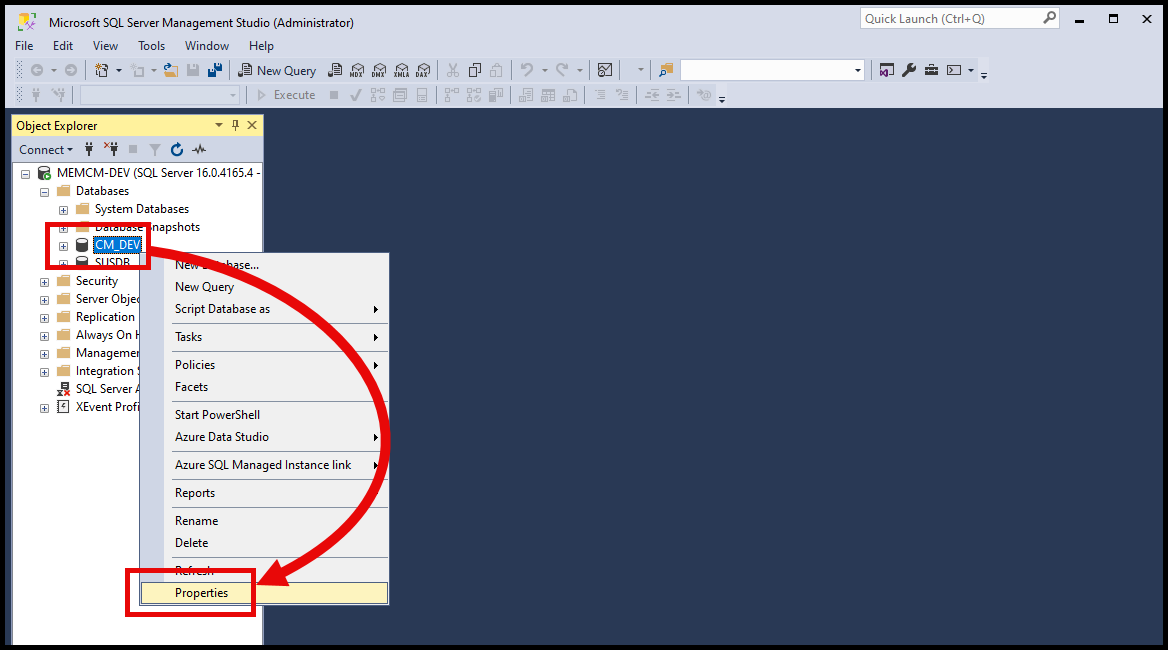
Select Properties - In the Database Properties window, select the
Optionspage from the left-hand menu. - In the
Compatibility leveldropdown, change the value fromSQL Server 2022 (160)toSQL Server 2019 (150). - Click
OKto save the changes.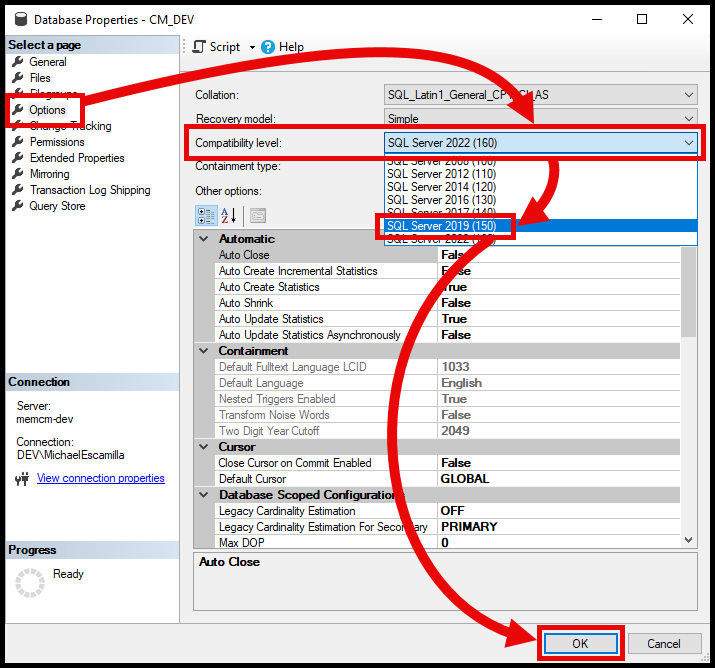
Change Compatibility Level
-
Using T-SQL (Query) #
Alternatively, you can change the compatibility level using a T-SQL command.
Verify Current Compatibility Level #
- Open a new query
- Run the following command to check the current compatibility level of your ConfigMgr database:
-- Replace 'CM_<SiteCode>' with the database name for your Configuration Manager environment
USE CM_<SiteCode>;

SELECT compatibility_level
FROM sys.databases
WHERE name = DB_NAME();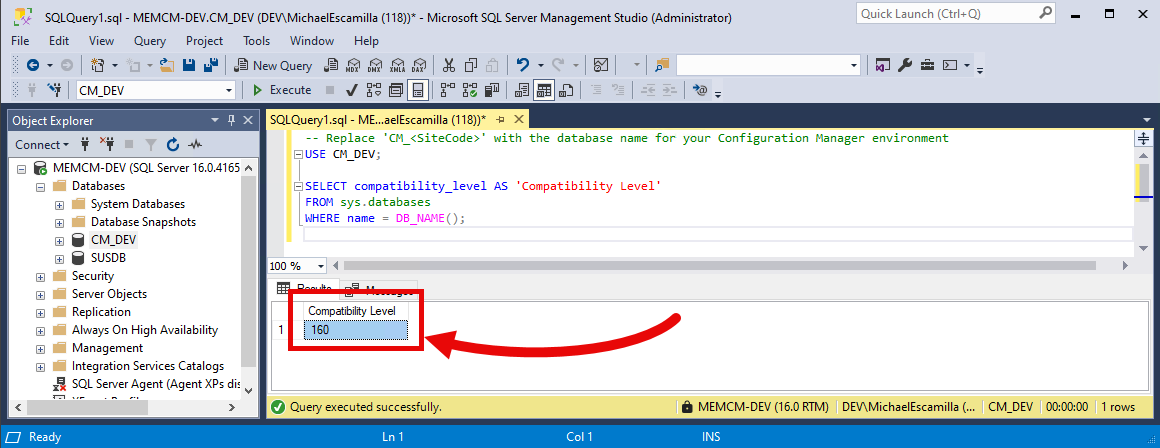
Change Compatibility Level #
- Open a new query
- Run the following command to change the compatibility level to
150:
-- Replace 'CM_<SiteCode>' with the database name for your Configuration Manager environment
ALTER DATABASE CM_<SiteCode>
SET COMPATIBILITY_LEVEL = 150;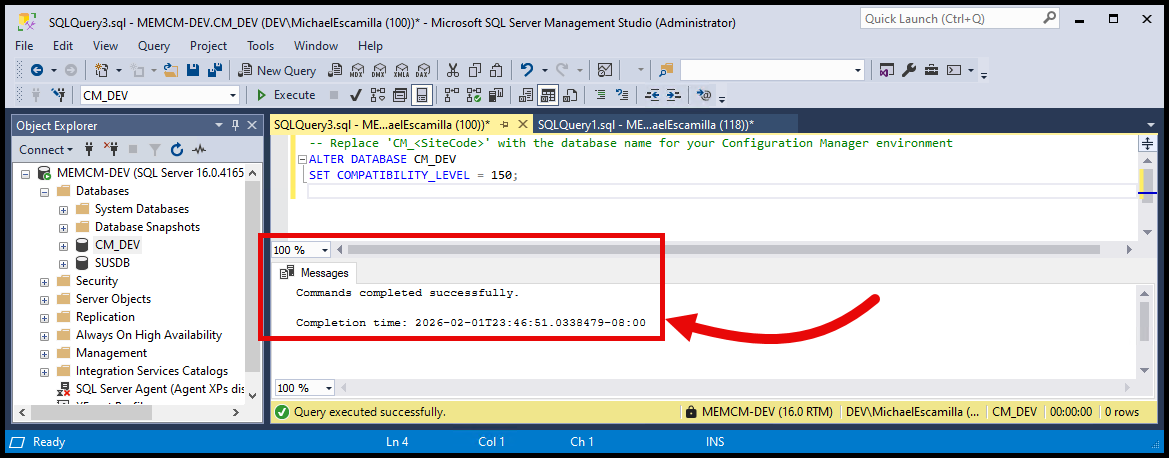
Verify the Change #
- Run the first query again to verify that the compatibility level has been updated:
-- Replace 'CM_<SiteCode>' with the database name for your Configuration Manager environment
USE CM_<SiteCode>;

SELECT compatibility_level
FROM sys.databases
WHERE name = DB_NAME();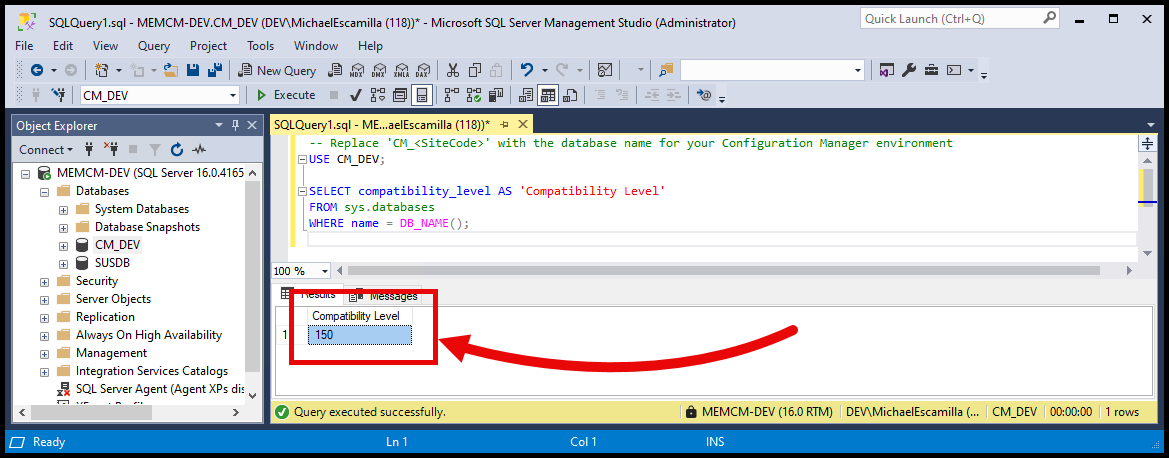
Try Importing Drivers Again #
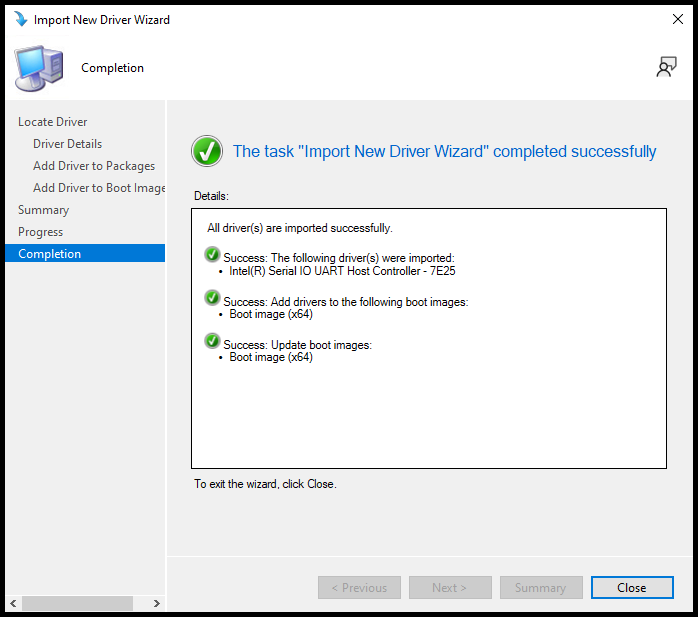
Now that the compatibility level has been changed to 150, try importing the drivers again in Configuration Manager. You should no longer encounter the error, and the drivers should import successfully.
Hopefully someone finds this post useful. I kept forgetting what to search for when running into this a few times setting up some lab environments, so I figured I would document it for future reference.