


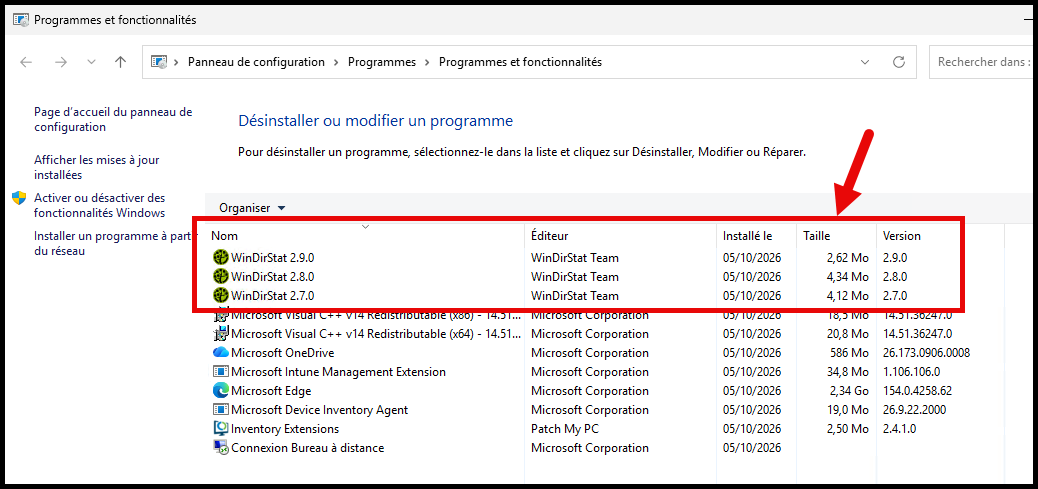
I recently investigated why recent WinDirStat MSI installations were not removing previous versions. Older releases remained in Apps & features alongside the new one, even though the installer was configured for a major upgrade.
Languages #
We were unable to reproduce the issue on our lab machines, which had English (1033) installations. However, our customer had French fr-FR (1036) installations.
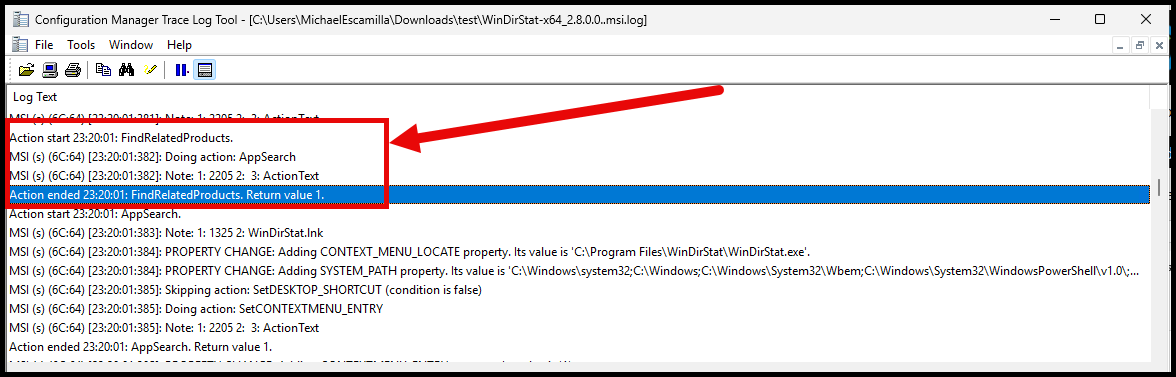
On a French Windows installation, the MSI logs showed that FindRelatedProducts ran but did not enumerate any matching products. The WIX_UPGRADE_DETECTED property was not set, and no old product was removed.
What changed with version 2.7.0 #
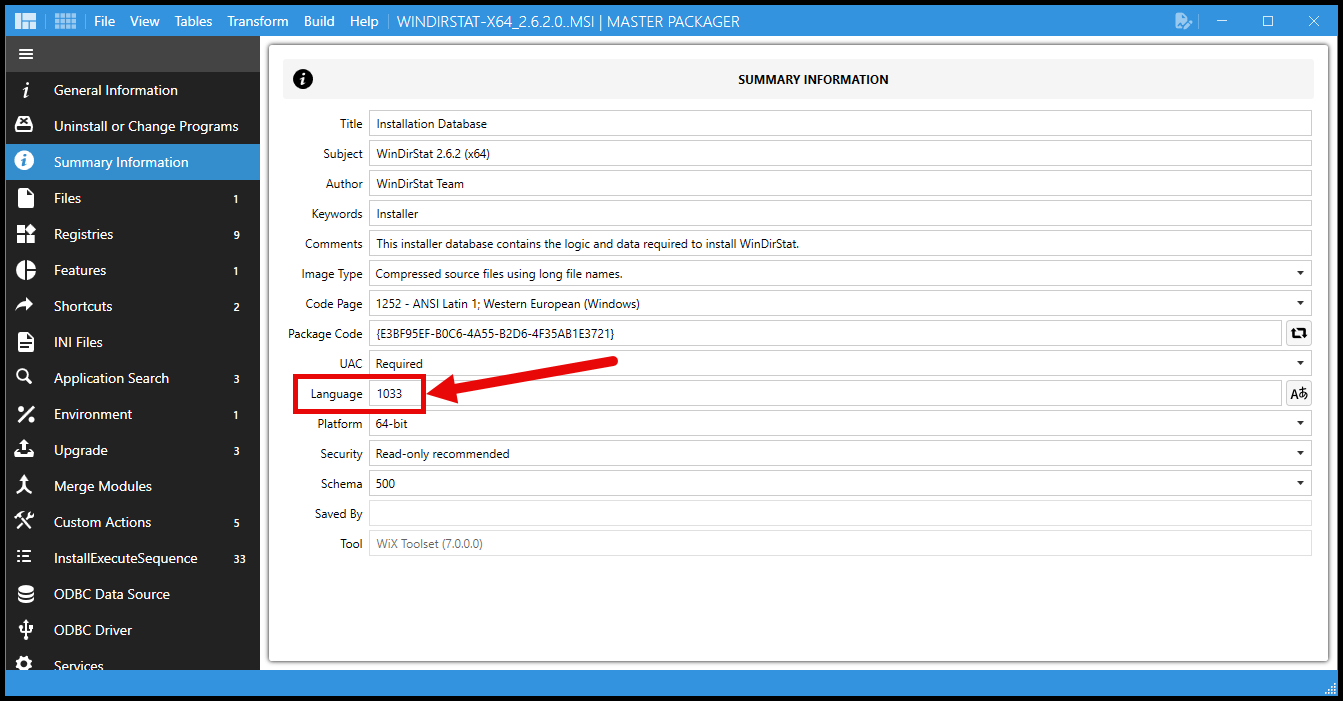
Before version 2.7.0, the WinDirStat MSI was a single-language installer for English (1033).
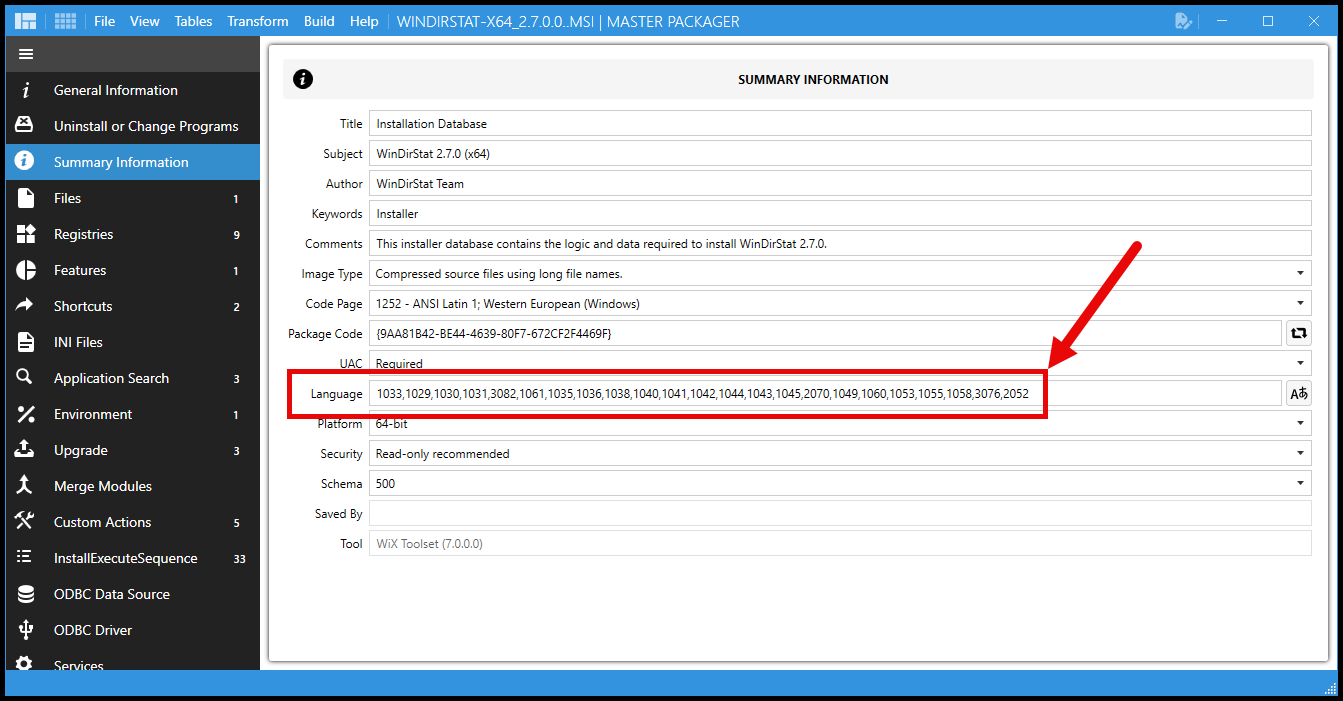
Starting with version 2.7.0, the WinDirStat MSI became a multilingual installer capable of handling multiple languages based on the system’s locale.
Installations Starting with Version 2.7.0 #
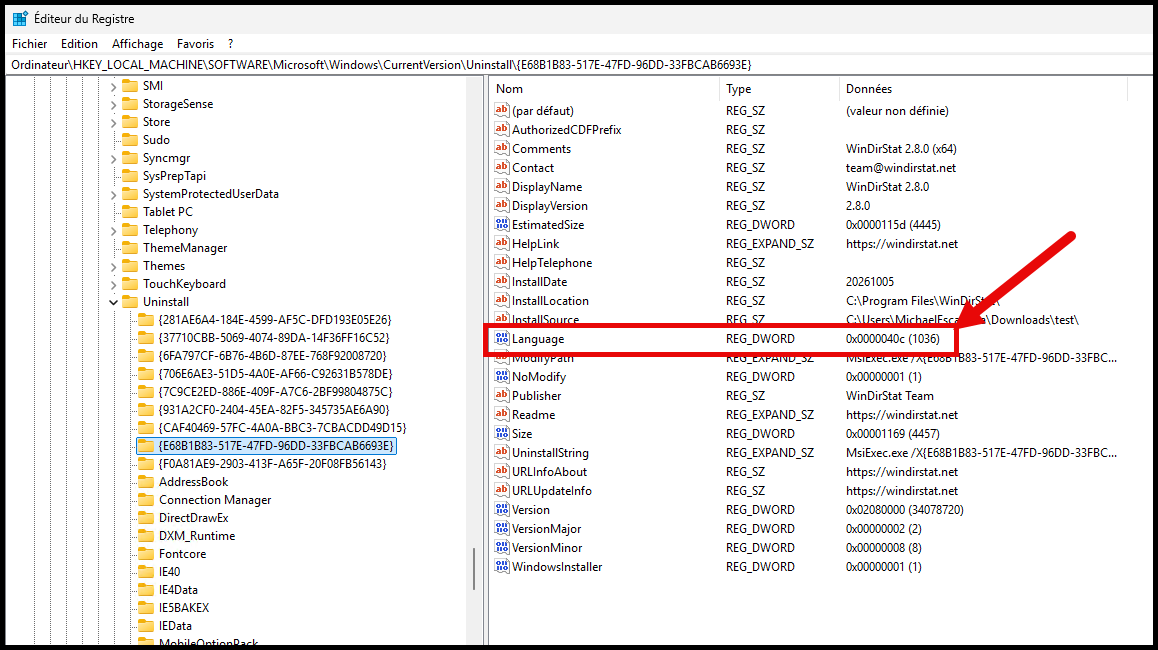
On systems with a locale other than English (1033), the multilingual installer applies the appropriate language transform and registers the product using that language. The ARP (Add or Remove Programs) entry below shows that the language was applied correctly on a fr-FR (1036) system.
Root Cause: Upgrade Table Language Filter #
The MSI Upgrade table contains rows that tell Windows Installer which related products to find. In the WinDirStat MSIs I inspected, the major-upgrade and downgrade-detection rows for the current UpgradeCode specified 1033 in the Language column. The major-upgrade row used the WIX_UPGRADE_DETECTED property, while the downgrade row used WIX_DOWNGRADE_DETECTED.
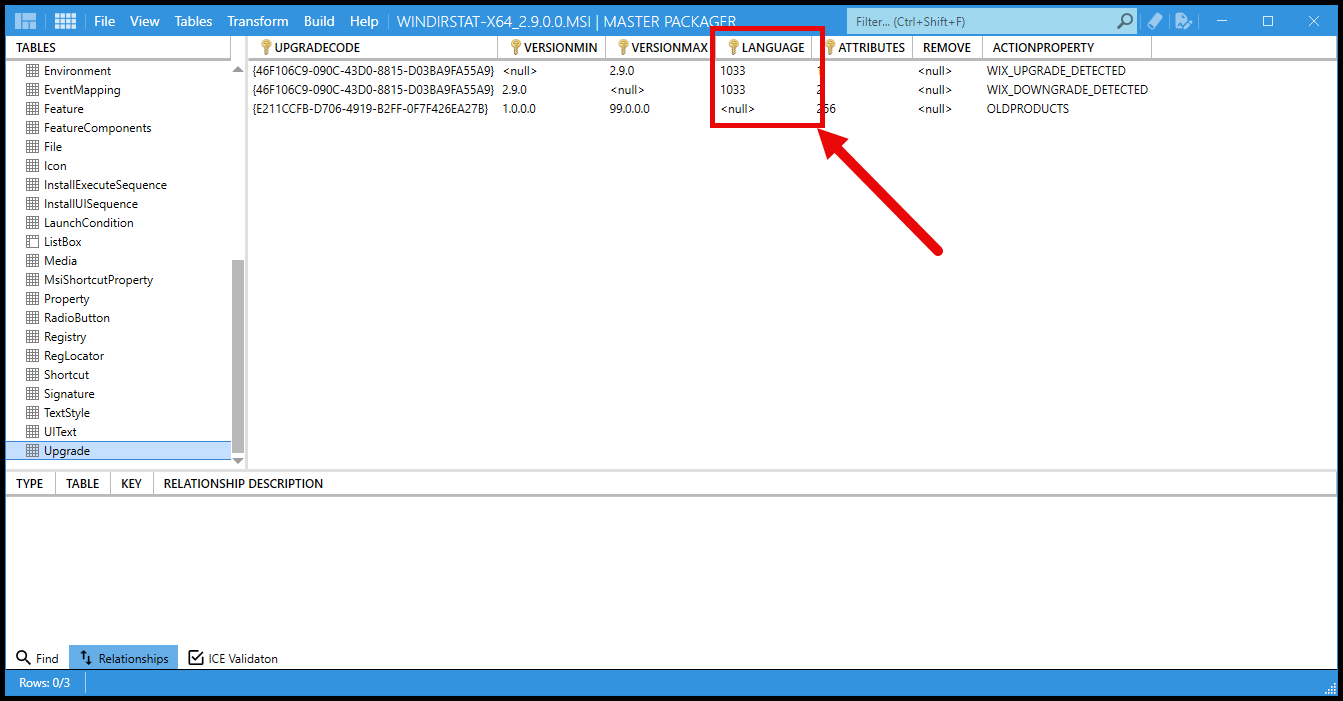
On the French test machine, the older WinDirStat products were registered with ProductLanguage 1036.
The new installer was therefore effectively asking Windows Installer to find related products with language 1033, while the installed products had language 1036. Because the languages did not match, the installer silently skipped them.
Workarounds #
This is a potential workaround until the WinDirStat MSI is updated to handle multiple languages correctly in the Upgrade table.
Apply an MST transform #
You can use Master Packager to create an MST transform that sets the Language value to null in the affected major-upgrade and downgrade rows.
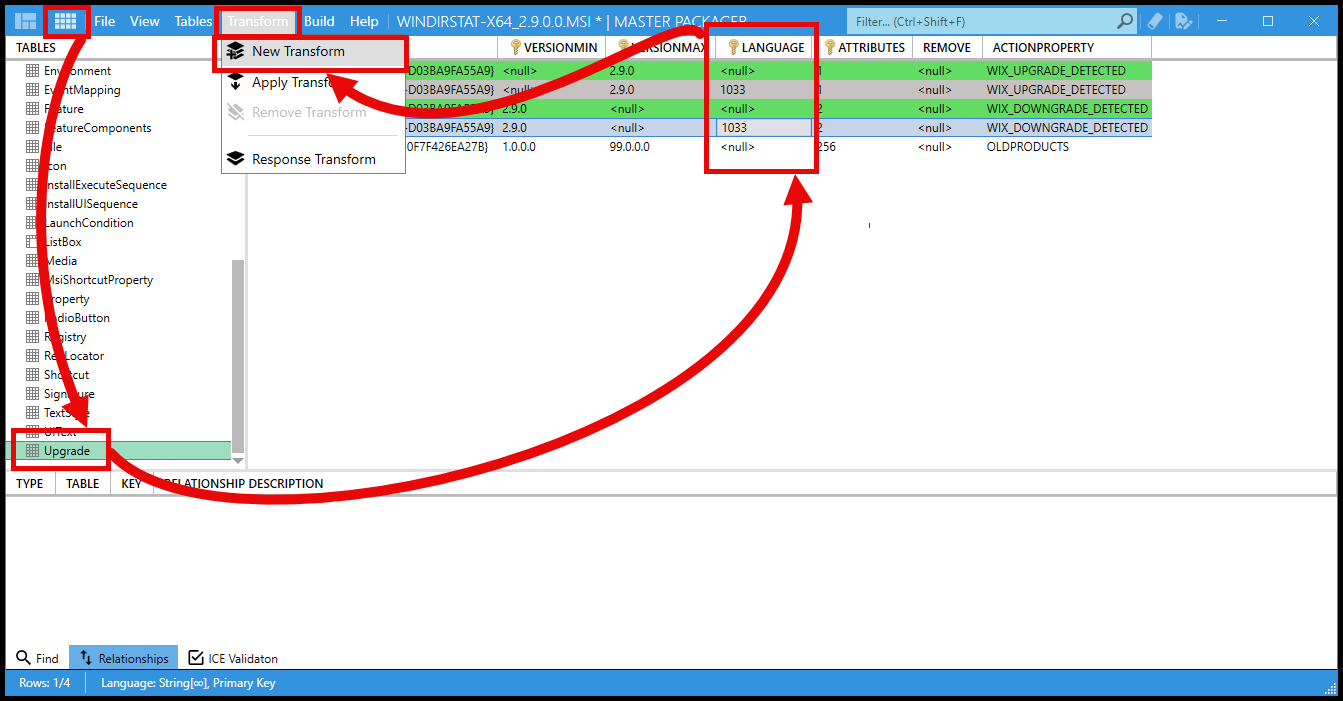
For example, with a transform prepared for the exact MSI version:
msiexec.exe /i "WinDirStat-x64.msi" TRANSFORMS="fix-lang.mst" /qn ALLUSERS=1 REBOOT=ReallySuppressThe transform must be generated against the MSI being deployed; the Upgrade table’s version conditions can change between releases. Test the transformed package before broad deployment, and follow your organization’s process for signing and distributing installer transforms.