

Normally I don’t put this content on the main feed, but it’s something that comes up every time Zoom has a critical CVE, so let’s make a post that can be shared in the future.
Full disclosure, I work for Patch My PC and will directly reference them in the post.
Zoomsday is upon us with CVE-2026-53413. As administrators and security teams look to patch this vulnerability, knowing if you’re deploying the correct version can be confusing.
CVE Insights - Zoomsday Flaw Enabled Remote Takeover
Zoom has a strange system for how it shows the version number for its products, specifically the Zoom Workplace MSI installer. This often leads to confusion about whether the correct version is installed.
How Zoom Version Numbers Work #
When Zoom releases a new version of the Zoom Workplace app, the format will look like this:
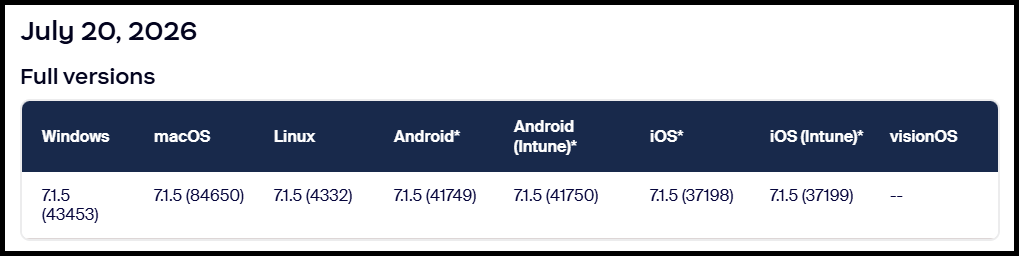
7.1.5 (43453)
7.1.5 is the ‘release’, and ‘(43453)’ is the build specifically for ‘Windows’. Each OS/platform has a different build.
Release notes for the Zoom Workplace app
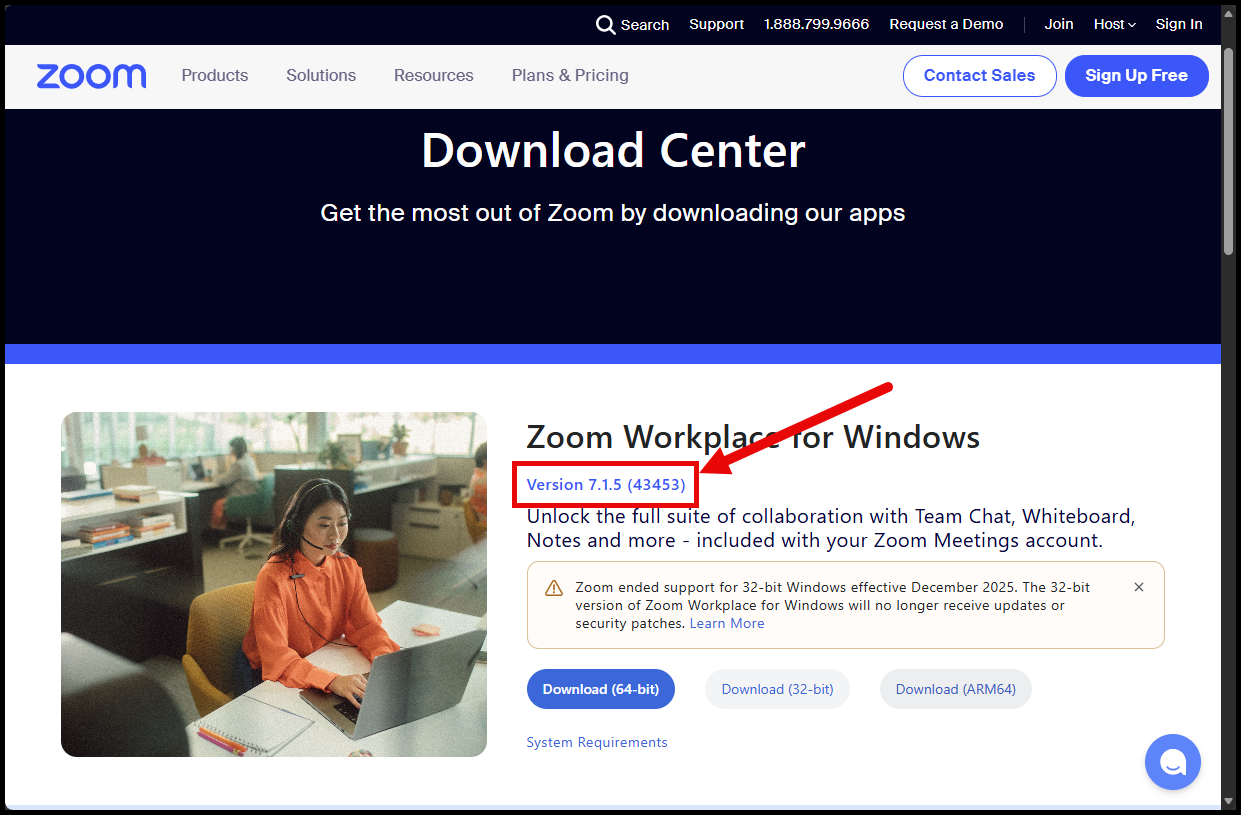
On the Zoom Download Center page, you will see the version information in this format: 7.1.5 (43453).
How the MSI Version Is Reported #
These products cause the most confusion because the MSI is the SYSTEM installation used most often by enterprises. The MSI installers can be downloaded from the Zoom Installers page.
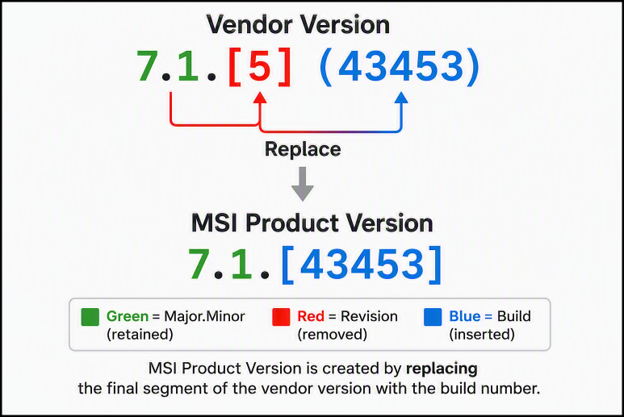
For the MSI installers, Zoom drops the last segment from the version and replaces it with the build number.
In the below example, we have the July 20, 2026 release 7.1.5 (43453) for Windows:
But why have the versions this way? #
Thanks to @Dan Gough for the info here!
MSIs use the Upgrade Table to determine which existing installations to remove.
For this Zoom Workplace MSI-x64 7.1.5 (43453), we can see the Upgrade Table below (Shoutout Master Packager):
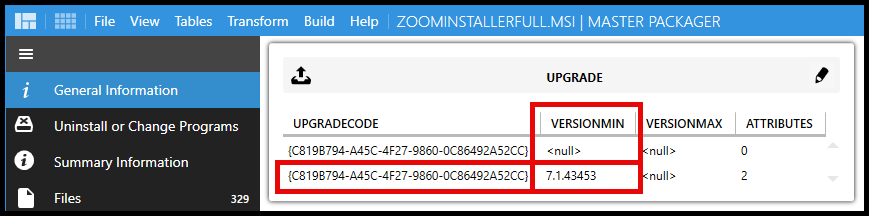
The important part about the VersionMin can be found in the Upgrade Table docs:
Upgrade Table - Win32 apps | Microsoft Learn
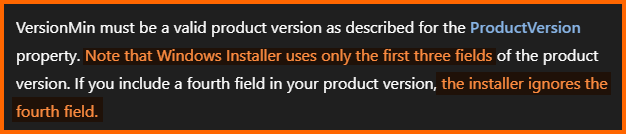
The fourth field is ignored!
What this would mean is if the version number was 7.1.5.43453, it would only remove everything under 7.1.5. This would make having two versions with 7.1.5 difficult to manage and upgrade properly.
So yes, the versioning is confusing, but it’s necessary to ensure upgrade paths are handled properly.
Zoom Workplace MSI #
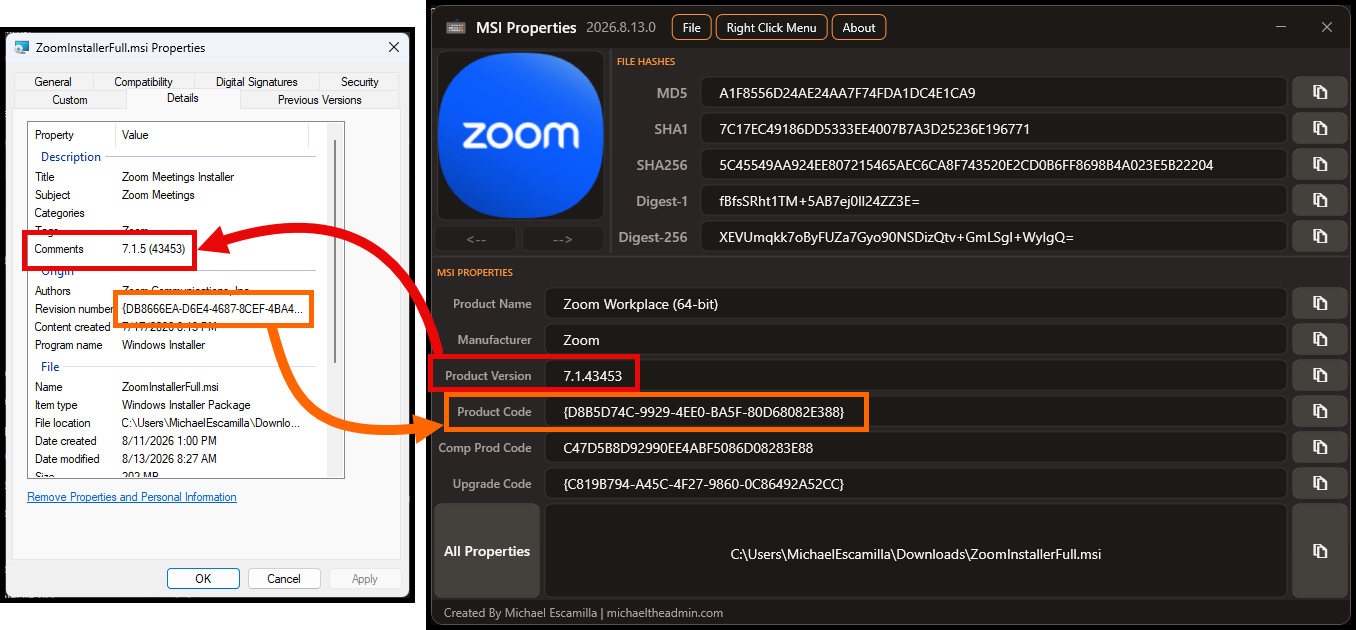
If you download this version’s x64 MSI installer: Zoom Workplace (MSI-x64)
It will have 7.1.43453 as the product version, but the comments of the file will show the full release version: 7.1.5 (43453).
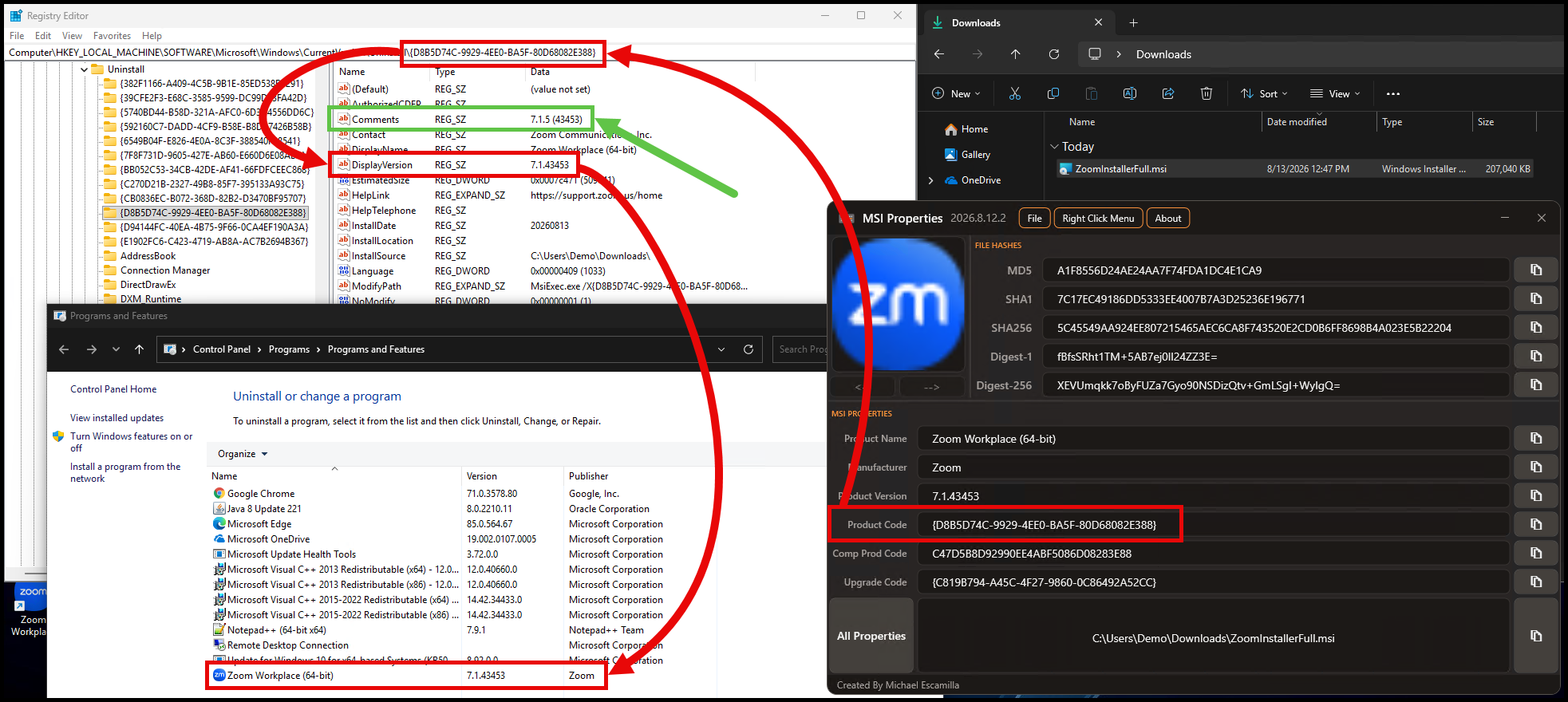
When installed, the Add or Remove Programs entry will use 7.1.43453 as the DisplayVersion, while the Comments field will have the full 7.1.5 (43453).
Zoom Workplace EXE #
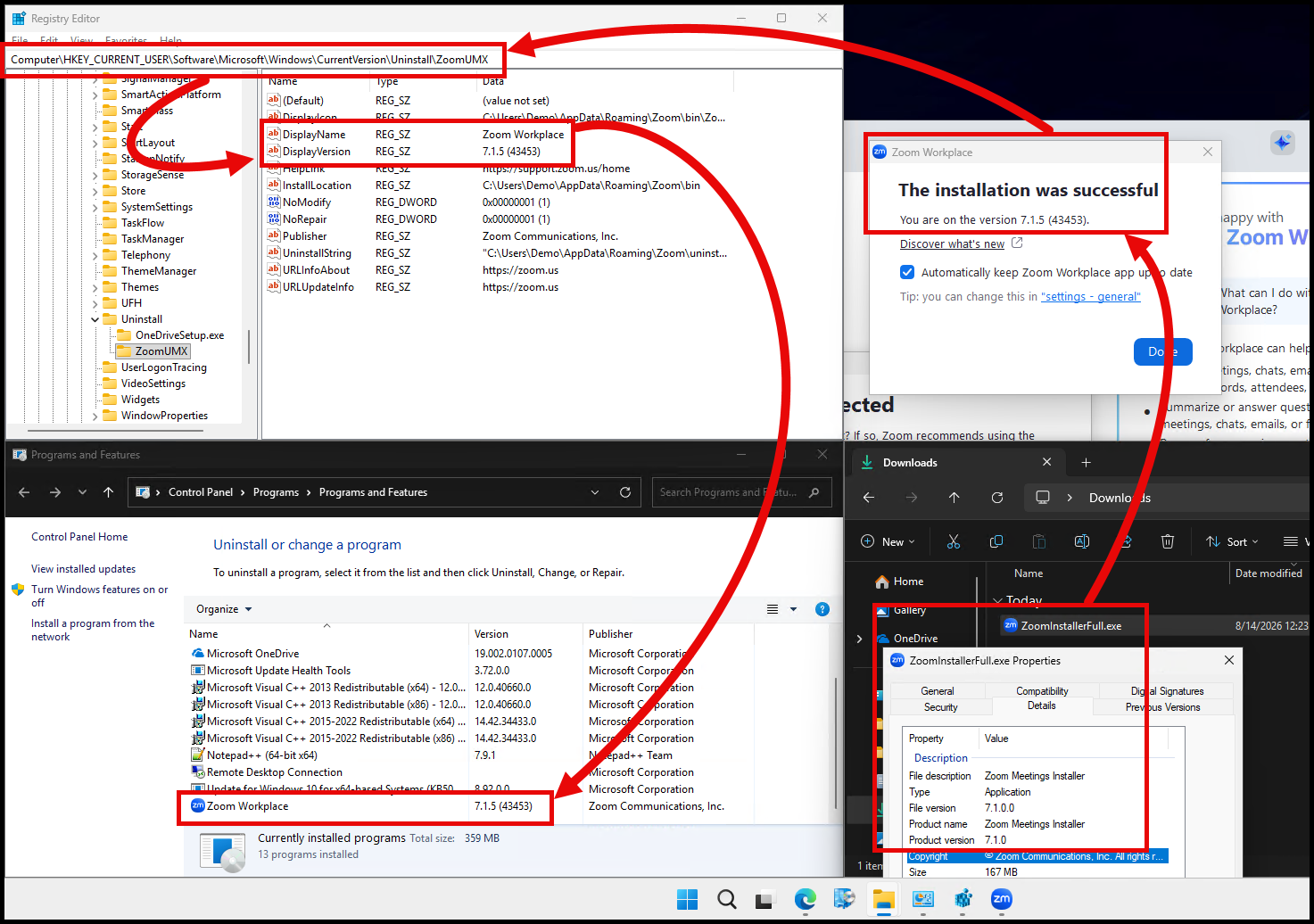
The EXE installers are more straightforward, but they can also be confusing. They are user-based installations.
If you head back over to the Zoom Download Center page, you can download the EXE using the links from this page.
Viewing the file properties will show 7.1.0 as the version:
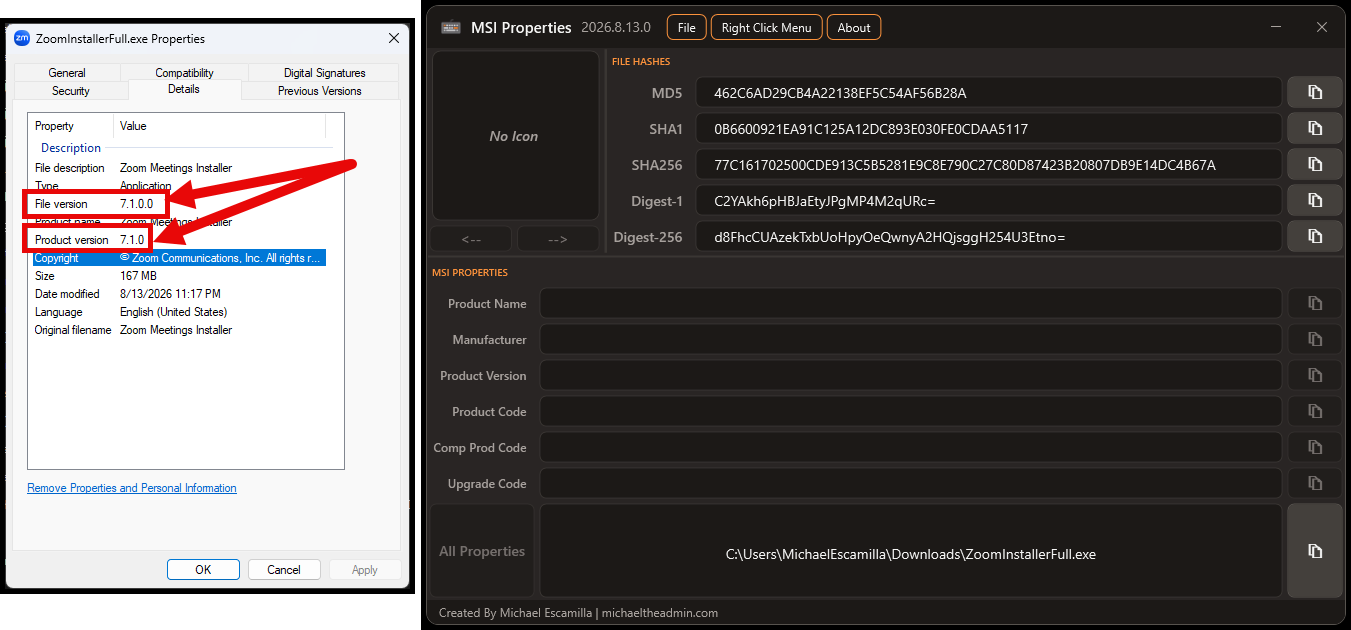
But when installed, the Add or Remove Programs entry will literally use the full release version 7.1.5 (43453):
Zoom and Patch My PC #
The version of Zoom Workplace in the Patch My PC catalog is most likely the latest version because the App Team is amazing at getting new versions released quickly.
Patch My PC uses the Product Version from the MSI because that is what is used for the Add or Remove Programs registry entry, which is then used for application detection.